projects
Company
Appointy
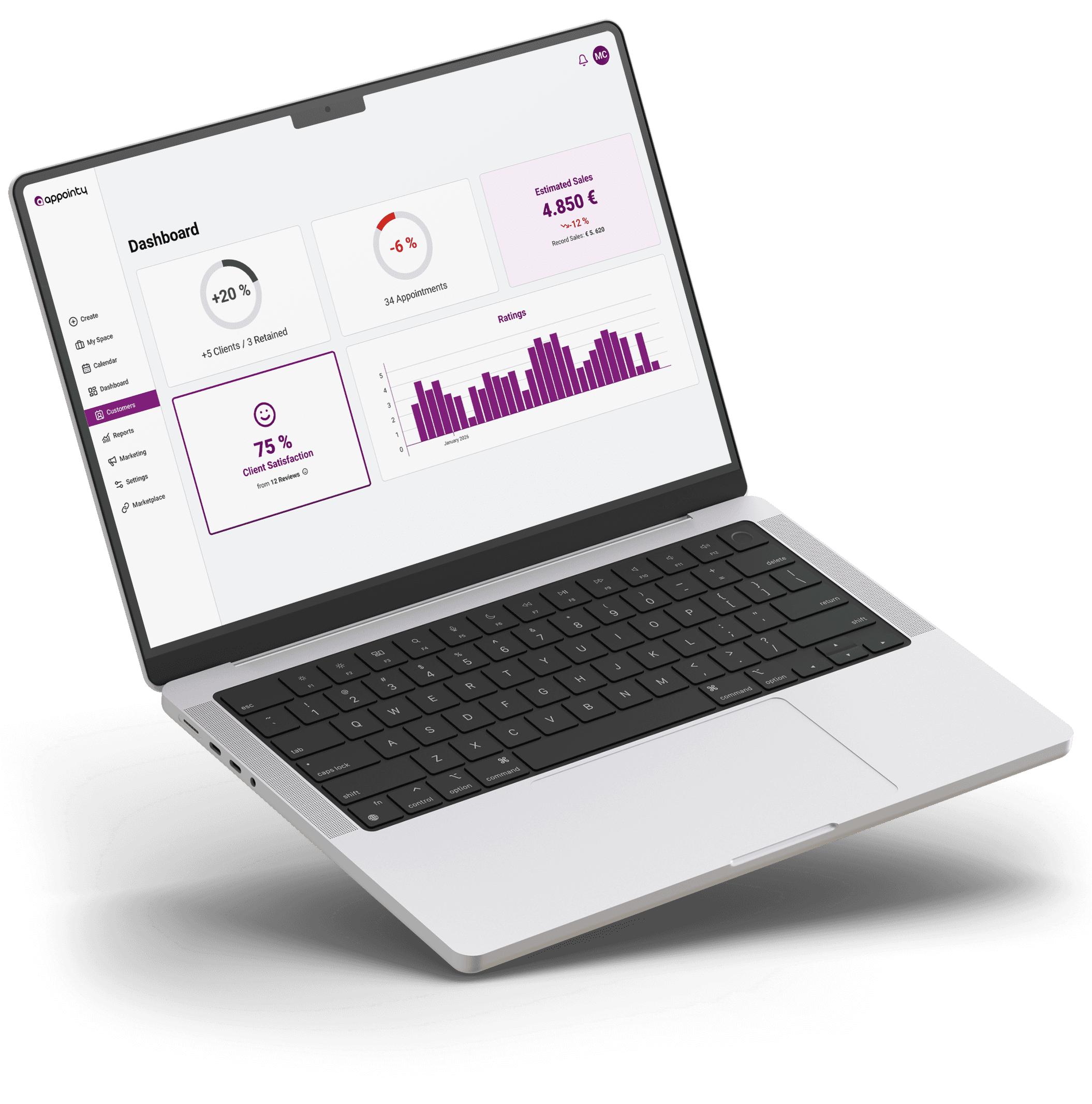
Appointy is a SaaS scheduling platform providing tools for online appointment booking and business management. Designed to help service businesses streamline scheduling, Appointy supports companies in automating bookings and improving customer experience.
Field
SaaS
Scheduling
Management
Duration
01 – 02.2026
Tools
Figma
Roles
ui design
product branding
systems thinking
Company
Appointy
Appointy is a SaaS scheduling platform providing tools for online appointment booking and business management. Designed to help service businesses streamline scheduling, Appointy supports companies in automating bookings and improving customer experience.
Field
SaaS
Scheduling
Management
Duration
01 – 02.2026
Tools
Figma
Roles
ui design
product branding
systems thinking
Company
Appointy
Appointy is a SaaS scheduling platform providing tools for online appointment booking and business management. Designed to help service businesses streamline scheduling, Appointy supports companies in automating bookings and improving customer experience.
Field
SaaS
Scheduling
Management
Duration
01 – 02.2026
Tools
Figma
Roles
ui design
product branding
systems thinking
What was the challenge?
Appointy’s desktop interface delivers strong functionality but suffers from inconsistent visual hierarchy, dense layouts, and fragmented brand application. The challenge was to refine the UI—without altering workflows or structure—to create clarity, cohesion, and a more focused working experience. The scope was intentionally limited to visual system improvements, including typography, layout, navigation clarity, and semantic color usage.
What was the challenge?
Appointy’s desktop interface delivers strong functionality but suffers from inconsistent visual hierarchy, dense layouts, and fragmented brand application. The challenge was to refine the UI—without altering workflows or structure—to create clarity, cohesion, and a more focused working experience. The scope was intentionally limited to visual system improvements, including typography, layout, navigation clarity, and semantic color usage.
What was the challenge?
Appointy’s desktop interface delivers strong functionality but suffers from inconsistent visual hierarchy, dense layouts, and fragmented brand application. The challenge was to refine the UI—without altering workflows or structure—to create clarity, cohesion, and a more focused working experience. The scope was intentionally limited to visual system improvements, including typography, layout, navigation clarity, and semantic color usage.
User Interface
Foundations
Across the interface, the redesign focused on establishing a coherent visual system. Brand colors were refined and extended for clearer semantic use, typography was standardized to improve hierarchy and readability, and spacing was normalized to create a consistent rhythm. Navigation was clarified and redundant interface elements were consolidated, reducing visual friction. These foundational improvements create a system that scales consistently across key working screens.
User Interface
Foundations
Across the interface, the redesign focused on establishing a coherent visual system. Brand colors were refined and extended for clearer semantic use, typography was standardized to improve hierarchy and readability, and spacing was normalized to create a consistent rhythm. Navigation was clarified and redundant interface elements were consolidated, reducing visual friction. These foundational improvements create a system that scales consistently across key working screens.
User Interface
Foundations
Across the interface, the redesign focused on establishing a coherent visual system. Brand colors were refined and extended for clearer semantic use, typography was standardized to improve hierarchy and readability, and spacing was normalized to create a consistent rhythm. Navigation was clarified and redundant interface elements were consolidated, reducing visual friction. These foundational improvements create a system that scales consistently across key working screens.
Dashboard
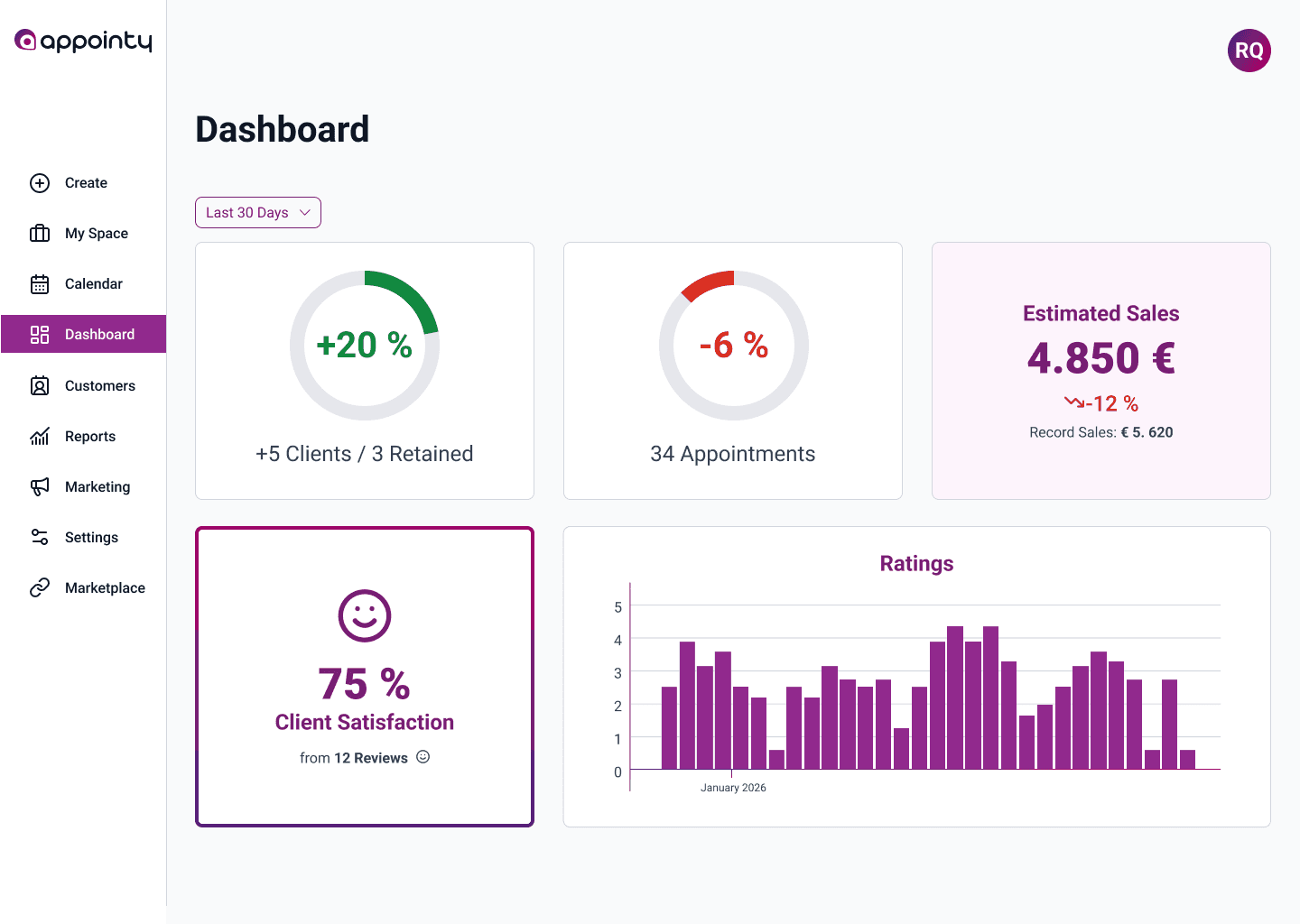
Typography, spacing, and layout rhythm were refined to improve hierarchy and reduce visual noise. Metrics were translated into clearer visual representations with defined semantic colors, while brand elements were aligned more consistently with the marketing identity. Navigation and structure remain unchanged, but the interface now feels more cohesive and focused.
Redesign
Original
Dashboard
Typography, spacing, and layout rhythm were refined to improve hierarchy and reduce visual noise. Metrics were translated into clearer visual representations with defined semantic colors, while brand elements were aligned more consistently with the marketing identity. Navigation and structure remain unchanged, but the interface now feels more cohesive and focused.
Redesign
Original
Dashboard
Typography, spacing, and layout rhythm were refined to improve hierarchy and reduce visual noise. Metrics were translated into clearer visual representations with defined semantic colors, while brand elements were aligned more consistently with the marketing identity. Navigation and structure remain unchanged, but the interface now feels more cohesive and focused.
Redesign
Original
Calendar
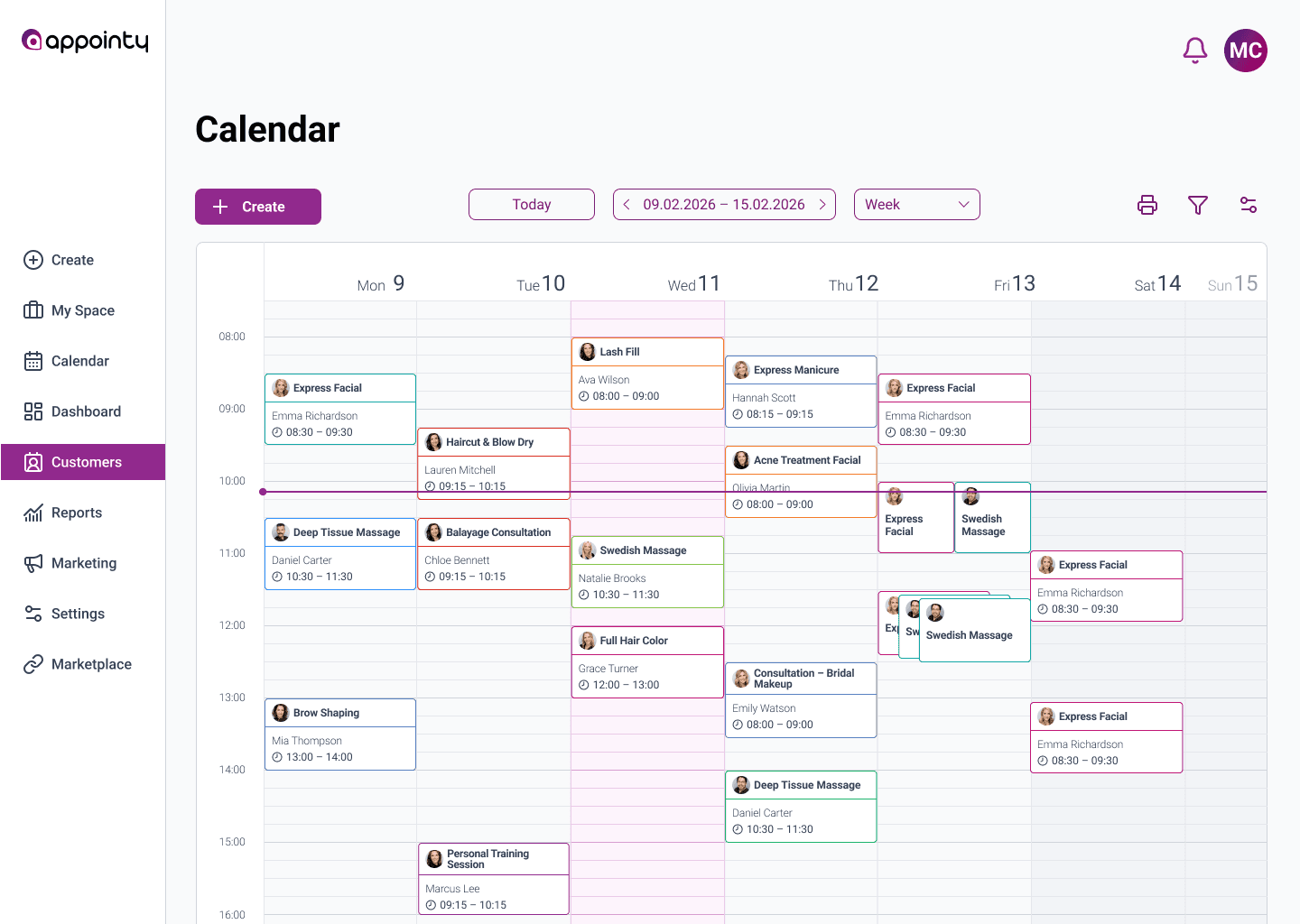
The calendar view was optimized for clarity within a dense information layout. Controls are grouped by function and visually differentiated, with primary actions emphasized using brand color. A more compact structure increases visibility above the fold, while improved spacing and color tagging enhance scanability and appointment recognition. The redesign improves overview without altering functionality.
Redesign
Original
Calendar
The calendar view was optimized for clarity within a dense information layout. Controls are grouped by function and visually differentiated, with primary actions emphasized using brand color. A more compact structure increases visibility above the fold, while improved spacing and color tagging enhance scanability and appointment recognition. The redesign improves overview without altering functionality.
Redesign
Original
Calendar
The calendar view was optimized for clarity within a dense information layout. Controls are grouped by function and visually differentiated, with primary actions emphasized using brand color. A more compact structure increases visibility above the fold, while improved spacing and color tagging enhance scanability and appointment recognition. The redesign improves overview without altering functionality.
Redesign
Original
Customers
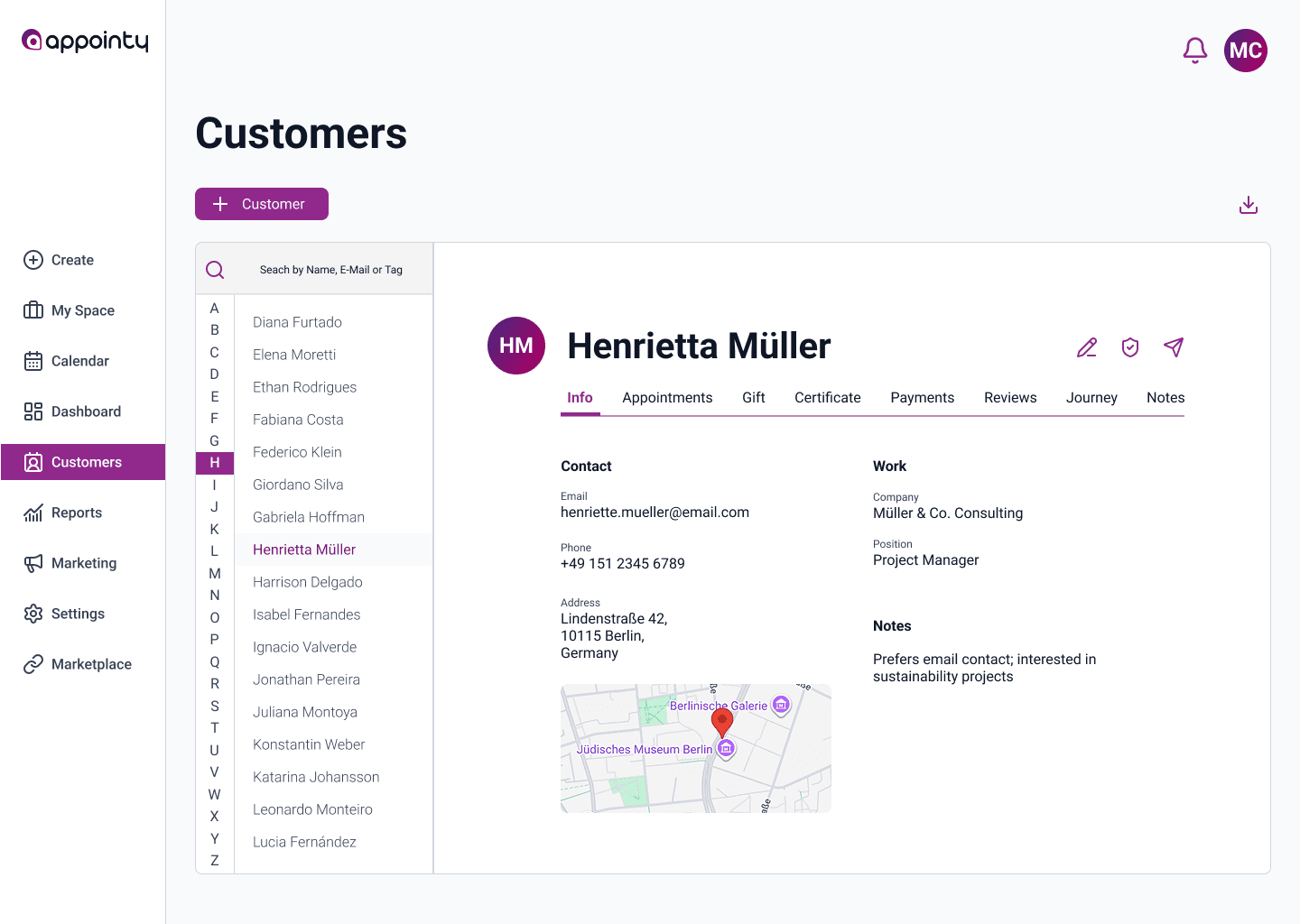
The customer view was restructured visually to create a clearer left-to-right flow: alphabet index, customer list, and detailed client card. Hover-based interactions were replaced with persistent structural elements for better predictability. Increased white space and improved hierarchy bring focus to client information, while maintaining the existing navigation and feature set.
Redesign
Original
Customers
The customer view was restructured visually to create a clearer left-to-right flow: alphabet index, customer list, and detailed client card. Hover-based interactions were replaced with persistent structural elements for better predictability. Increased white space and improved hierarchy bring focus to client information, while maintaining the existing navigation and feature set.
Redesign
Original
Customers
The customer view was restructured visually to create a clearer left-to-right flow: alphabet index, customer list, and detailed client card. Hover-based interactions were replaced with persistent structural elements for better predictability. Increased white space and improved hierarchy bring focus to client information, while maintaining the existing navigation and feature set.
Redesign
Original
Design System
Foundations
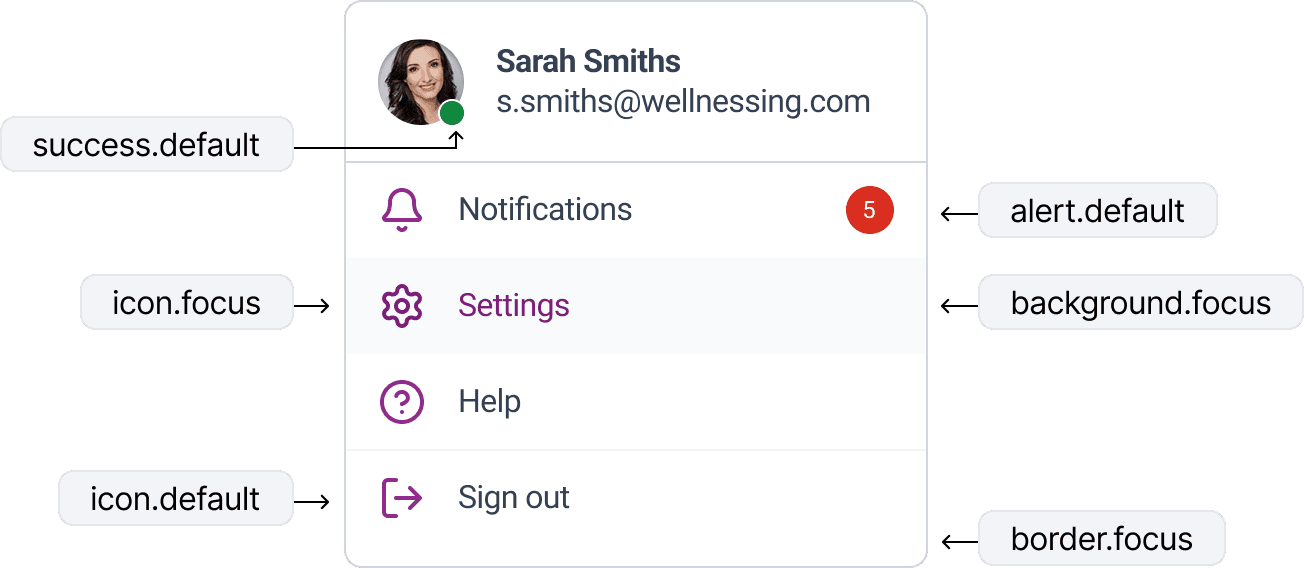
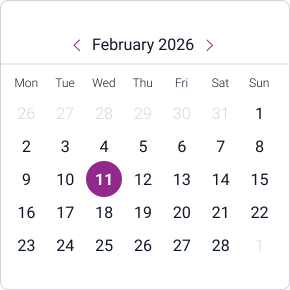
The interface improvements are grounded in a lightweight design system that ensures consistency across screens. Rather than treating each layout independently, core elements such as typography, color, spacing, and components were defined as reusable foundations. This system establishes clear hierarchy, semantic color usage, and predictable interaction patterns, enabling the interface to scale while maintaining visual coherence. The following elements illustrate how these foundations support the redesigned UI.
Design System
Foundations
The interface improvements are grounded in a lightweight design system that ensures consistency across screens. Rather than treating each layout independently, core elements such as typography, color, spacing, and components were defined as reusable foundations. This system establishes clear hierarchy, semantic color usage, and predictable interaction patterns, enabling the interface to scale while maintaining visual coherence. The following elements illustrate how these foundations support the redesigned UI.
Design System
Foundations
The interface improvements are grounded in a lightweight design system that ensures consistency across screens. Rather than treating each layout independently, core elements such as typography, color, spacing, and components were defined as reusable foundations. This system establishes clear hierarchy, semantic color usage, and predictable interaction patterns, enabling the interface to scale while maintaining visual coherence. The following elements illustrate how these foundations support the redesigned UI.
Heading 1
48 px
Heading 2
40 px
Heading 3
32 px
Heading 4
24 px
Body
16 px
Captions
12 px
Customer
Default
Customer
Hover
Customer
Pressed
Customer
Disabled
All
Upcoming
Cancelled
Completed
Confirmed
Pending
Cancelled

Express Facial
Emma Richardson
08:30 – 09:30
Express Facial

Swedish Massage

Express Facial
Checkbox
Radio
It's a Wrap!
Takeaways
This project reinforces how significantly interface quality impacts perceived usability. Even without restructuring workflows, a coherent visual system—consistent hierarchy, semantic color logic, structured navigation, and disciplined spacing—can reduce cognitive load and improve clarity in dense SaaS environments. Thoughtful UI refinement is not cosmetic; it is structural.
Note: Independent UI exploration based on Appointy’s publicly available desktop interface. Not affiliated with the company.
It's a Wrap!
Takeaways
This project reinforces how significantly interface quality impacts perceived usability. Even without restructuring workflows, a coherent visual system—consistent hierarchy, semantic color logic, structured navigation, and disciplined spacing—can reduce cognitive load and improve clarity in dense SaaS environments. Thoughtful UI refinement is not cosmetic; it is structural.
Note: Independent UI exploration based on Appointy’s publicly available desktop interface. Not affiliated with the company.
It's a Wrap!
Takeaways
This project reinforces how significantly interface quality impacts perceived usability. Even without restructuring workflows, a coherent visual system—consistent hierarchy, semantic color logic, structured navigation, and disciplined spacing—can reduce cognitive load and improve clarity in dense SaaS environments. Thoughtful UI refinement is not cosmetic; it is structural.
Note: Independent UI exploration based on Appointy’s publicly available desktop interface. Not affiliated with the company.
get in touch.
get in touch.
get in touch.
let's talk.
let's talk.
let's talk.
let's talk.
let's talk.
let's talk.
© 2026 Ricardo Quintas. All rights reserved.